

Key Takeaways
- Confirm exactly what an electronics mover includes, such as technical disconnection and setup, since some companies only handle physical relocation.
- Back up important data to a cloud service or external drive that travels separately from the devices it protects, never in the same box.
- Photograph the back of each setup and label cables before moving, so reassembly takes minutes instead of hours.
- Basic mover liability coverage rarely equals full replacement value, so ask about valuation options and keep receipts, model numbers, and photos of valuable devices.
Your TV cost more than your first car. Your computer holds years of photos, work files, and memories. So why do so many people toss them in a random box with a few towels and hope for the best? We have all been there, and we have all felt that sinking feeling when something does not power on after a move.
The good news is that most damage is avoidable. Electronics movers exist for exactly this reason. They pack, handle, and transport sensitive technology, from televisions and computers to printers, networking gear, and audiovisual systems. But hiring one only helps if you avoid a few common traps.
This guide walks through seven mistakes that put your devices at risk. Whether you are a Polk County homeowner moving across town, a family heading out of state, a retiree downsizing, or someone moving into a high-end apartment, these tips apply to you. Let's keep your gear safe and your move calm.
What Do Electronics Movers Actually Do?
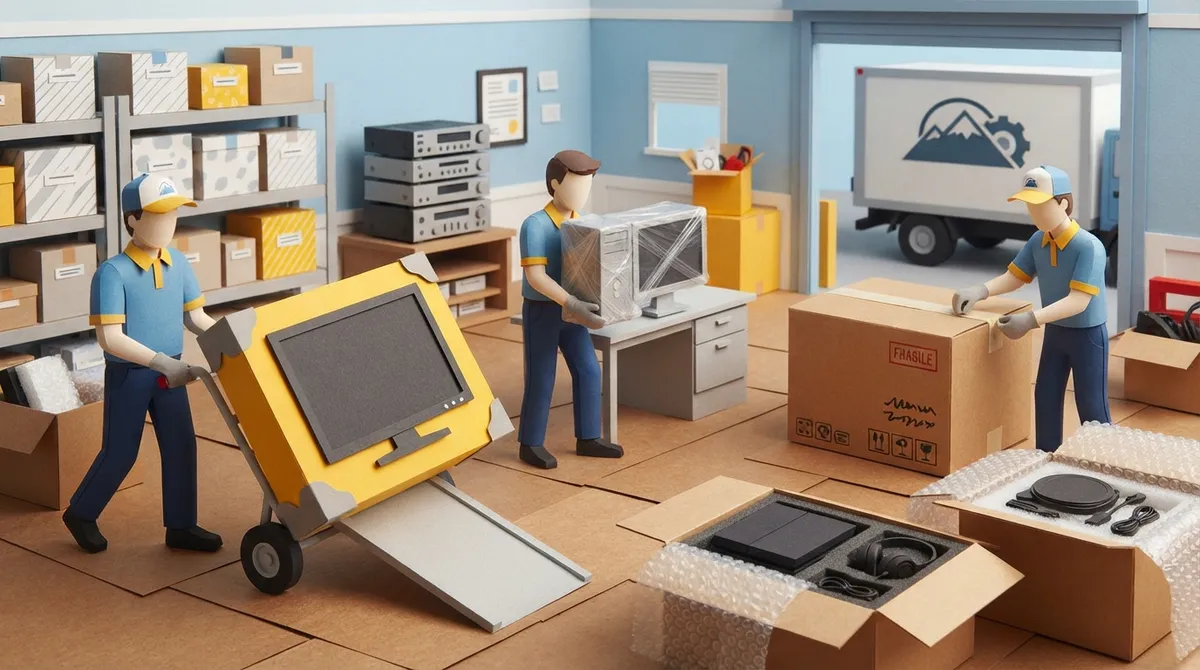
Electronics movers are moving professionals who focus on sensitive equipment. Their services vary by company, so it pays to ask what is included. Common services may include:
- Pre-move planning and item inventory
- Packing, labeling, and protective wrapping
- Custom crating for oversized or delicate items
- Careful loading, transport, and unloading
- Short-term storage if your timeline shifts
- Unpacking and, for business moves, coordination of workstations or server rooms
Not every mover offers technical disconnection or setup. Some only handle the physical relocation. That is why confirming the scope upfront matters so much, and it leads us to our first mistake.
Mistake 1: Assuming Every Mover Handles Electronics the Same Way
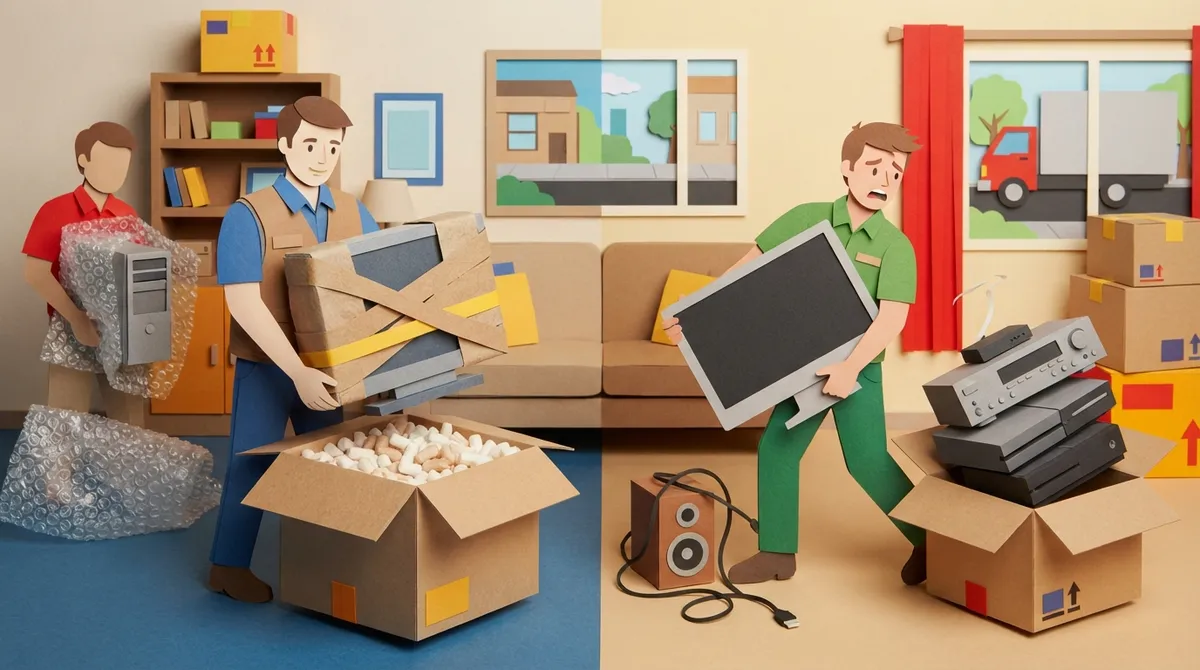
A general moving crew may be great with sofas and dressers. That does not always mean they have a plan for a large OLED screen or a home theater setup. Experience with the specific equipment matters.
Before you book, ask a few simple questions:
- Have you moved this type of equipment before?
- What packing materials and methods do you use?
- Do you offer custom crating for large screens or fragile items?
- Do you handle setup, or only transport?
- How do you handle claims if something goes wrong?
A trustworthy company will answer clearly and without pressure. If you are comparing options, our guide on how to choose residential movers in Polk County is a helpful place to start.
Mistake 2: Skipping the Original Boxes
If you still have the original packaging, you are in luck. Those boxes and foam inserts were designed to fit your device. Using them is often a smart first choice, as long as they are in good condition.
No original box? No problem. Use a sturdy box that is the right size, then add cushioning so nothing shifts. A good rule is simple: if you can shake the box and feel movement, add more padding.
What to Avoid When Packing Without Original Boxes
- Boxes that are too large, which let items slide around
- Old, soft boxes that crush under weight
- Newspaper alone as padding, which offers little shock protection
- Stacking heavy items on top of screens or computers
If you want help with the whole process, you can compare options in our breakdown of full-service packing vs. self-packing.
Mistake 3: Forgetting to Back Up Your Data
This one hurts the most because it is not about hardware at all. Drives can fail. Devices can get bumped. A backup protects the part of your electronics you truly cannot replace.
Before moving day, back up important files to a cloud service or an external drive that travels separately with you. Do not pack your backup in the same box as the computer it protects.
Mistake 4: Not Prepping Devices Properly
A little prep goes a long way. Here is a simple routine to follow in the days before your move:
- Back up your data and sign out of accounts you plan to reset.
- Shut devices down fully, not just sleep mode.
- Let warm equipment cool before wrapping it.
- Photograph the back of each setup so you remember where cables go.
- Label cords and bag them with the matching device.
- Remove ink cartridges, loose parts, and batteries if the manufacturer recommends it.
Always follow the manufacturer's instructions for transport orientation and removable parts. Some devices should stay upright, and some have special steps for batteries or cartridges.
Why Photos and Labels Save Your Sanity
Picture a tangle of black cables behind your entertainment center. Now picture trying to rebuild it at 9 p.m. after a long moving day. A quick photo and a few labels turn that headache into a ten-minute job.
Mistake 5: Ignoring Moisture, Dust, and Temperature
Florida homeowners know this one well. Heat and humidity are part of daily life here, and electronics do not love either. Equipment should be protected from impact, moisture, dust, and temperature extremes.
That matters on moving day, but it matters even more if your items go into storage. Ask any mover or storage provider about the conditions your devices will sit in. Sensitive components may call for anti-static materials, so ask what materials and handling methods the crew uses. If your timeline is uncertain, take a look at these short-term moving storage options before you decide.
Mistake 6: Assuming Insurance Covers Full Replacement Value
This is the mistake that surprises people most. A mover's basic liability or valuation coverage does not automatically equal the full replacement cost of your electronics. Coverage terms differ, and the fine print matters.
Before you sign anything, ask:
- What type of coverage is included in my quote?
- Are electronics covered differently from other items?
- What would it cost to increase coverage on high-value devices?
- How do I file a claim, and how long does it usually take?
Keep receipts, model numbers, and photos of your valuable devices. If you want a deeper look at responsibility and coverage, read our guide on whether movers are responsible for damage. You can also learn more about getting a moving claim paid fast in case you ever need it.
Mistake 7: Overlooking the IT Side of Office Moves
Business moves add a layer of complexity. Servers, networking gear, phones, and workstations all need a plan. Without one, you risk downtime, mislabeled equipment, and confusion on day one in the new space.
A Simple Plan for Office Electronics
- Create an inventory of every device and where it belongs.
- Label each workstation and cable group.
- Coordinate with your IT team on the order of disconnecting and reconnecting.
- Confirm whether the mover provides technical disconnection and setup, or only physical relocation.
- Schedule the move to limit downtime.
For more on keeping a business move organized, check out these office movers tips and our post on commercial moving in Lakeland.
Quick Comparison: DIY vs. Professional Electronics Moving
| Factor | DIY Move | With Electronics Movers |
|---|---|---|
| Packing materials | You source and buy them | Crew brings suitable materials |
| Heavy or oversized screens | Risky without help | Handled with trained crew |
| Custom crating | Rarely available | Often available, confirm first |
| Coverage questions | Your own policies only | Valuation options to review |
| Time and effort | High | Much lower |
If you are weighing the two approaches for your whole move, our look at full service movers vs. DIY in Lakeland can help.
Special Considerations for Different Movers
Luxury Homeowners and Apartment Residents
Home theaters, smart-home systems, and large wall-mounted screens deserve extra care. Ask about floor and wall protection too, since a heavy crate bumping a hallway wall is a different kind of damage. For apartment moves, see our apartment moving guide for Polk County.
Retirees and Families Downsizing
If you are moving from a larger home, you may be deciding which devices to keep. A patient crew can help you sort, pack, and carry. Our post on moving help for the elderly in Lakeland shares more ideas.
Long-Distance Movers
Longer trips mean more time in transit and more chances for shifting. Strong packing and clear labeling matter even more. If you are leaving the area, read how to plan long distance moving in Polk County before you finalize your plan.
How DynaMight Movers Can Help
DynaMight Movers is a licensed and insured moving company serving Lakeland, Winter Haven, Davenport, Dover, and the rest of Polk County. We handle local and long-distance residential moves, specialty items, and heavy lifting with transparent pricing and zero hidden fees. If you want to see what neighbors say about us, you can visit us on Google and read the reviews.
Planning your move across Polk County? Learn more about the history and geography of Polk County, Florida, or check Polk County Schools if your family is relocating with kids. For specialty needs, our specialty item moves page explains how we handle valuable and awkward belongings.
Final Thoughts
Electronics are valuable, delicate, and full of personal history. Avoiding these seven mistakes puts you in a much better spot: ask the right questions, use proper packing, back up your data, protect against heat and moisture, and understand your coverage. A little planning now saves a lot of stress later.
Ready for a move where your gear arrives safe and sound? Take the first step and get a free estimate today, or call us at (866) 349-7719 to talk through your move with our friendly team.
FAQs
Q: What do electronics movers do?
A: Electronics movers pack, handle, and transport sensitive equipment like TVs, computers, printers, and networking gear. Depending on the company, they may also offer custom crating, storage, and unpacking. Always confirm exactly what is included before you book.
Q: Should electronics be moved in their original boxes?
A: Original boxes and foam inserts are often a great first choice when they are available and in good shape. If you do not have them, use a sturdy, properly sized box with enough cushioning so nothing shifts during transport.
Q: How should I prepare electronics before a move?
A: Back up your data, shut devices down fully, and let warm equipment cool. Photograph and label your cable connections, and follow the manufacturer's instructions for batteries, cartridges, and transport orientation.
Q: Does moving insurance cover damaged electronics?
A: It depends on the coverage you select. A mover's basic valuation or liability coverage does not automatically equal full replacement value, so ask about your options and keep receipts and photos of valuable devices.
Q: How do I choose a mover for servers or office IT equipment?
A: Ask about experience with your specific equipment, inventory and labeling practices, and whether they coordinate with your IT team. Also confirm whether they handle technical disconnection and setup or only physical relocation.